Public Safety, Utility and Transport organisations over many years have deployed Private Mobile Radio (PMR) infrastructure equipment with high availability and reliability to provide to provide dedicated, secure communications networks.
Modern implementations of PMR utilise the digital TETRA standard, which provides interoperability between systems and terminals from a range of manufacturers.
@YellowsBestLtd our mission is “Keeping Customers Operational”, by continuing to provided spares solutions, hardware repairs and support services to ensure continued long-term operations and maintenance.
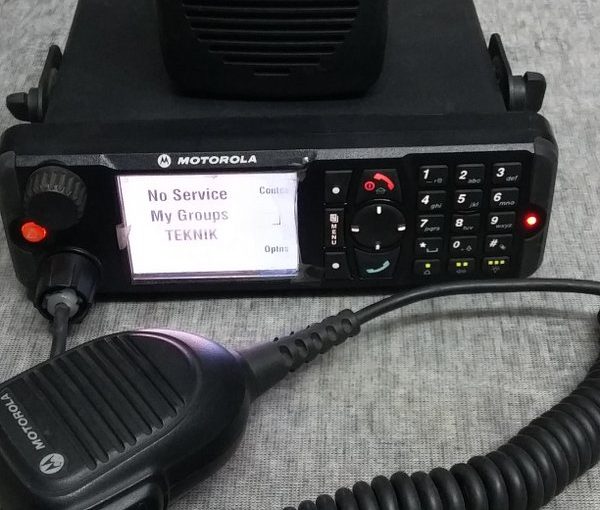
Examples of the products we have recently been requested to provide spares solutions and repairs services include Motorola Desk Radio Terminals:
Terminal Products
Part Number
Product Code
Description
M47PCC6T25_N
MT912
MTM700 380-430 MHz DESK Terminal
M80PCC6TZ5_N
MT912M
MTM800 380-430 MHz DESK Terminal
FIRMWARE
CLEAR / TEA1 / TEA2
Choice for all radios
OPTION
EXP DASH
Expand Control Head, 5m cable
If you have similar or other Radio solutions requirements and legacy maintenance services needs, please get in touch to discuss how we may be of assistance.
Organisations that deploy, own and maintain infrastructure systems and networks make considerable investments in time and money, and it makes complete business sense to maximise the return on these investments. Even if it were desirable to make wholesale replacements, such projects take time to undertake. Ideally, if the equipment is performing satisfactorily and operational requirements have not changed, then is better to keep the existing equipment maintained for as long as possible.
Critical infrastructure systems are typically built to last, with high availability and reliable system components, and interchangeable spare parts. But sooner or later, repairs to elements are needed. During initial deployment and warranty periods, this is not normally an issue, but over time, these services become more specialised and difficult to obtain, as vendors advance their portfolios and discontinue older products.
@YellowsBestLtd specialises in ‘Keeping Customers Operational‘ by sourcing equipment spare parts and hardware repairs to modern and legacy systems. Should you have any requirements, please get in touch; we would be very pleased to hear from you, and look forward to being of assistance.
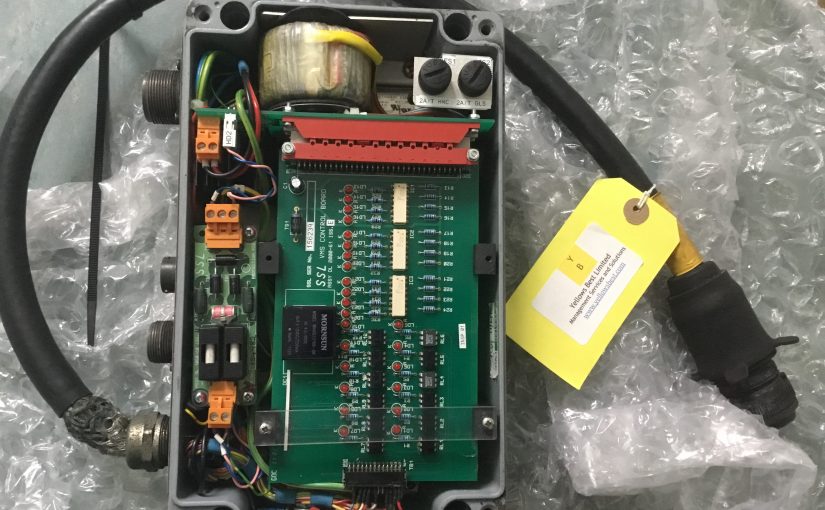
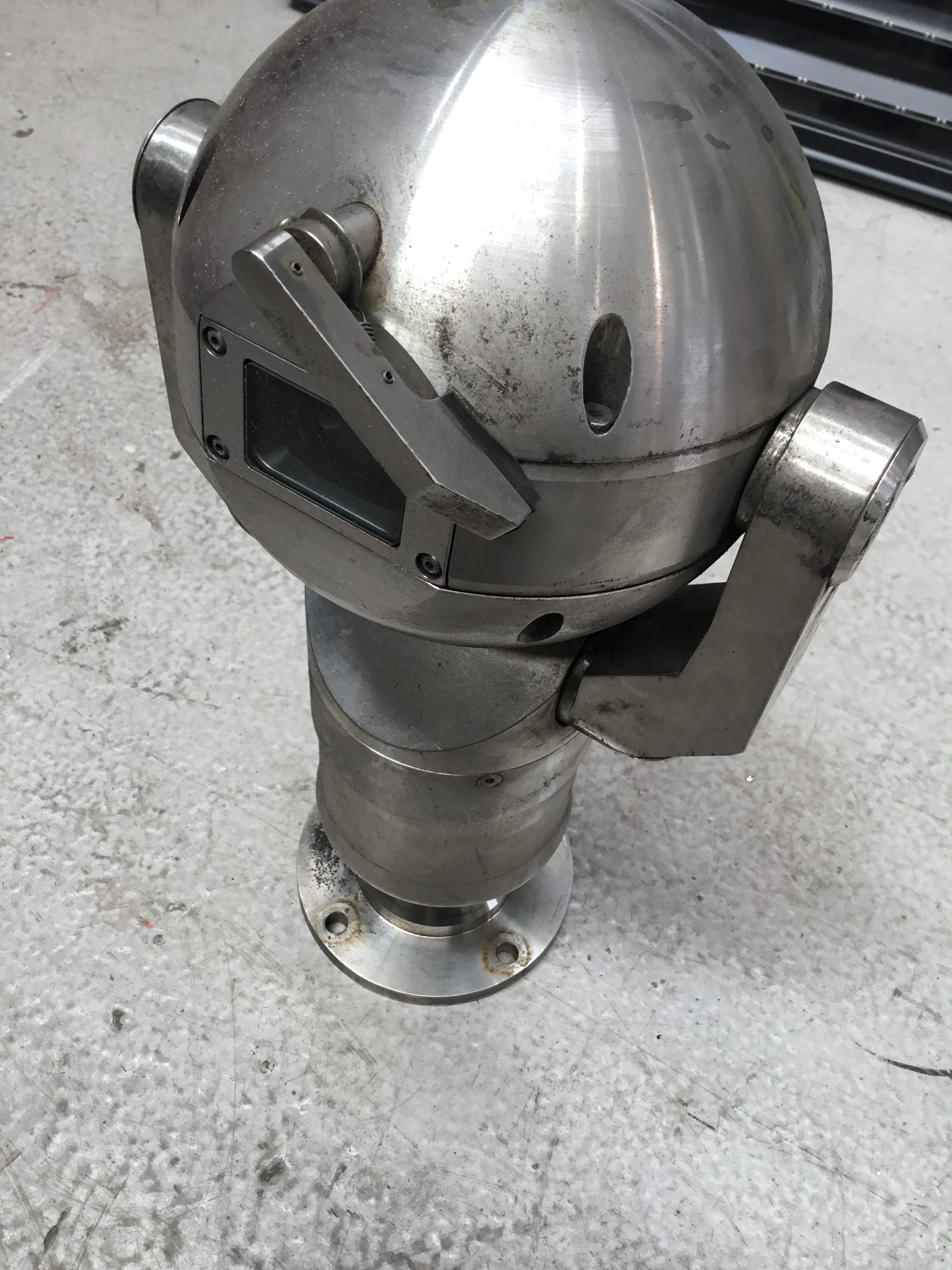
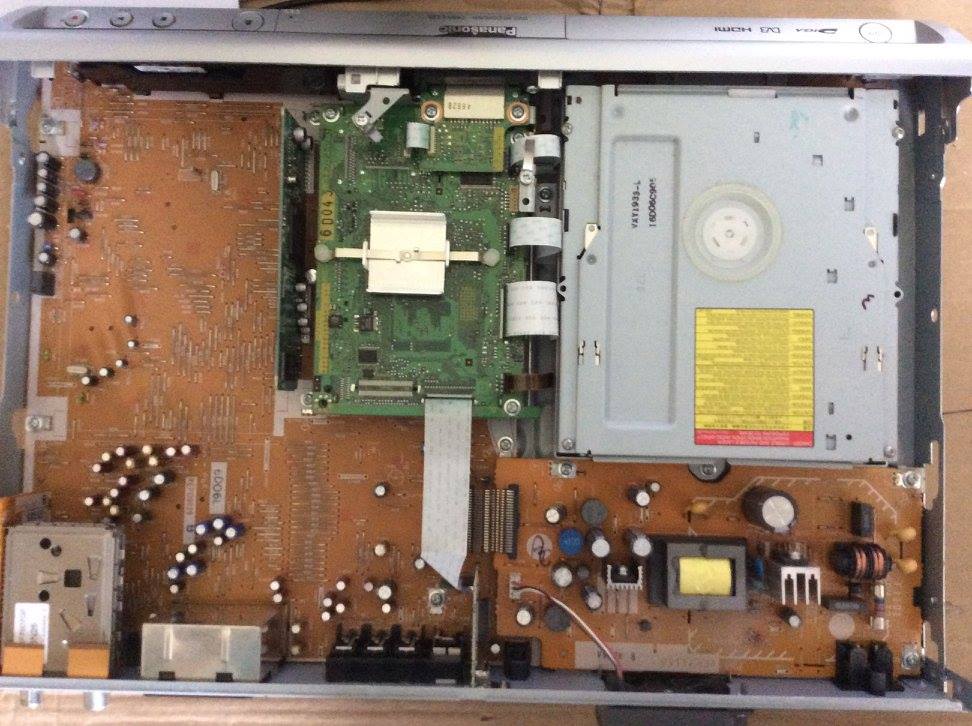
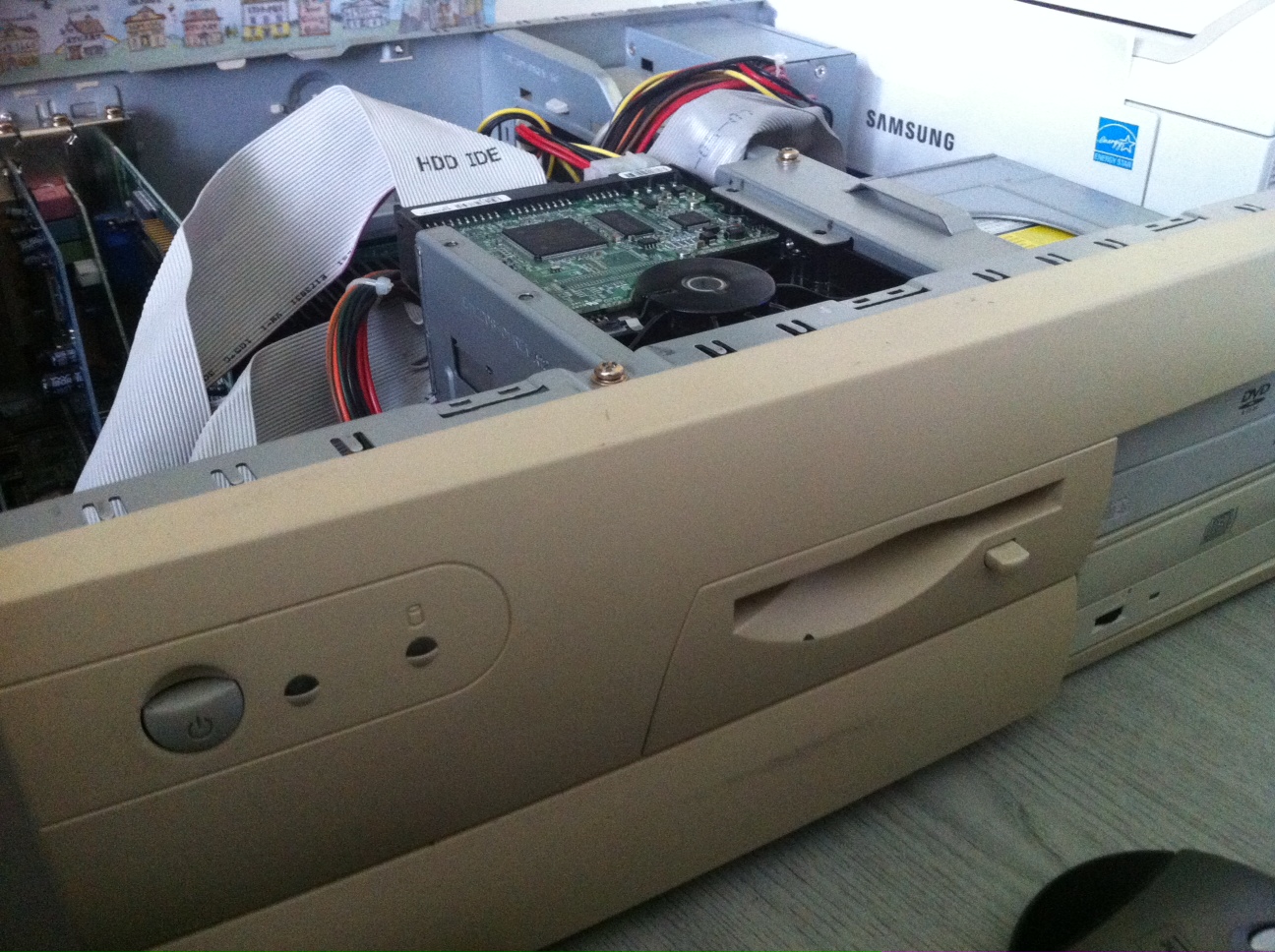
Take a look at some of the elements for which we provide hardware repairs services: Recent repairs requests
@YellowsBestLtd has been assisting with “Keeping Customers Operational” for eight years now. Over the time we have been in business, we have supported our Customers with Services and Solutions.
We provide a range of Business Development professional Services, such as Consultancy and Value Added Resale.
We help Customers to keep their infrastructure networks operational by undertaking a range of EnterpriseSupport activities, including O&M, training and Reverse logistics.
We ensure Sustainable Systems by sourcing Solutions to assist customers maintain the operational status of their infrastructure.
We support deployed systems by providing hardware repair and software corrections and suppling spares or functional replacements.
We offer various new and ‘legacy’ equipment Technologies and a wide range of infrastructure, telecoms and other Products, seeking out new, surplus and refurbished equipment spares equipment cards, as well as supplying built-to-order cables and connectors to suit exact requirements.
The Market Sectors of the diverse organisations we assist include Utilities, Transport and Private and Public Operators who operate and maintain their own network infrastructure, providing them with Solutions to do more whilst reaping cost-benefits.
We hope to continue to be of assistance for many further years. Please contact us to let us know how we can assist you to keep your systems operational . We look forward to hearing from you.
Fortunate to see the display of Gaia, the touring artwork by UK artist, Luke Jerram, hosted this month at the Beverley Minster.
Measuring seven metres in diameter and created from detailed NASA imagery of the Earth’s surface the artwork provides the opportunity to see our planet, floating in three dimensions. In Greek Mythology Gaia is the personification of the Earth.
Common features of the experience are a feeling of awe for the planet, a profound understanding of the interconnection of all life, and a renewed sense of responsibility for taking care of the environment.
@YellowsBestLtd helps Customers with their operational needs, and one aspect is to #Reduce the demand for avoidable whole-scale replacements through a combination of supply for #Reuse of refurbished spares and repair of system elements. When removal and disposal of no-longer serviceable infrastructure parts is necessary, we can also assist with the resale and #Recycle for ‘value recovery’ of valuable materials. In this small way, we aim to make a difference in the impact we have on our planet through sustainable solutions.
Please get in touch should you wish to discuss your operational requirements and see how @YellowsBestLtd can be of assistance.
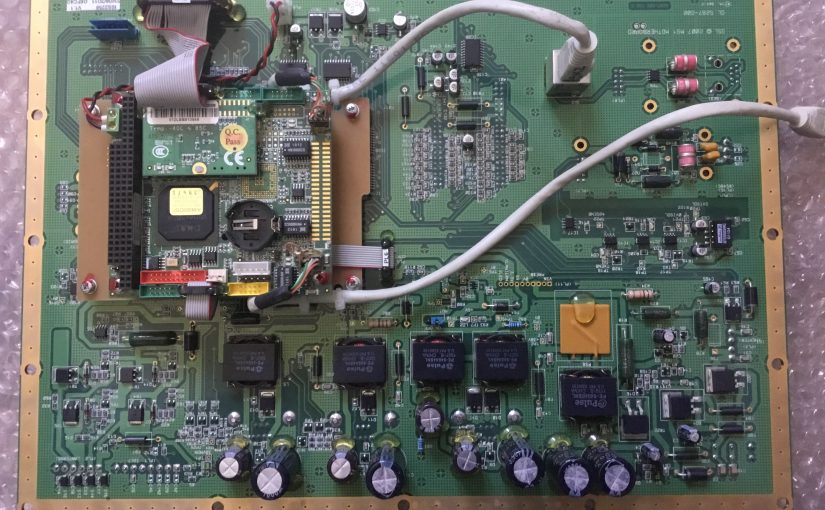
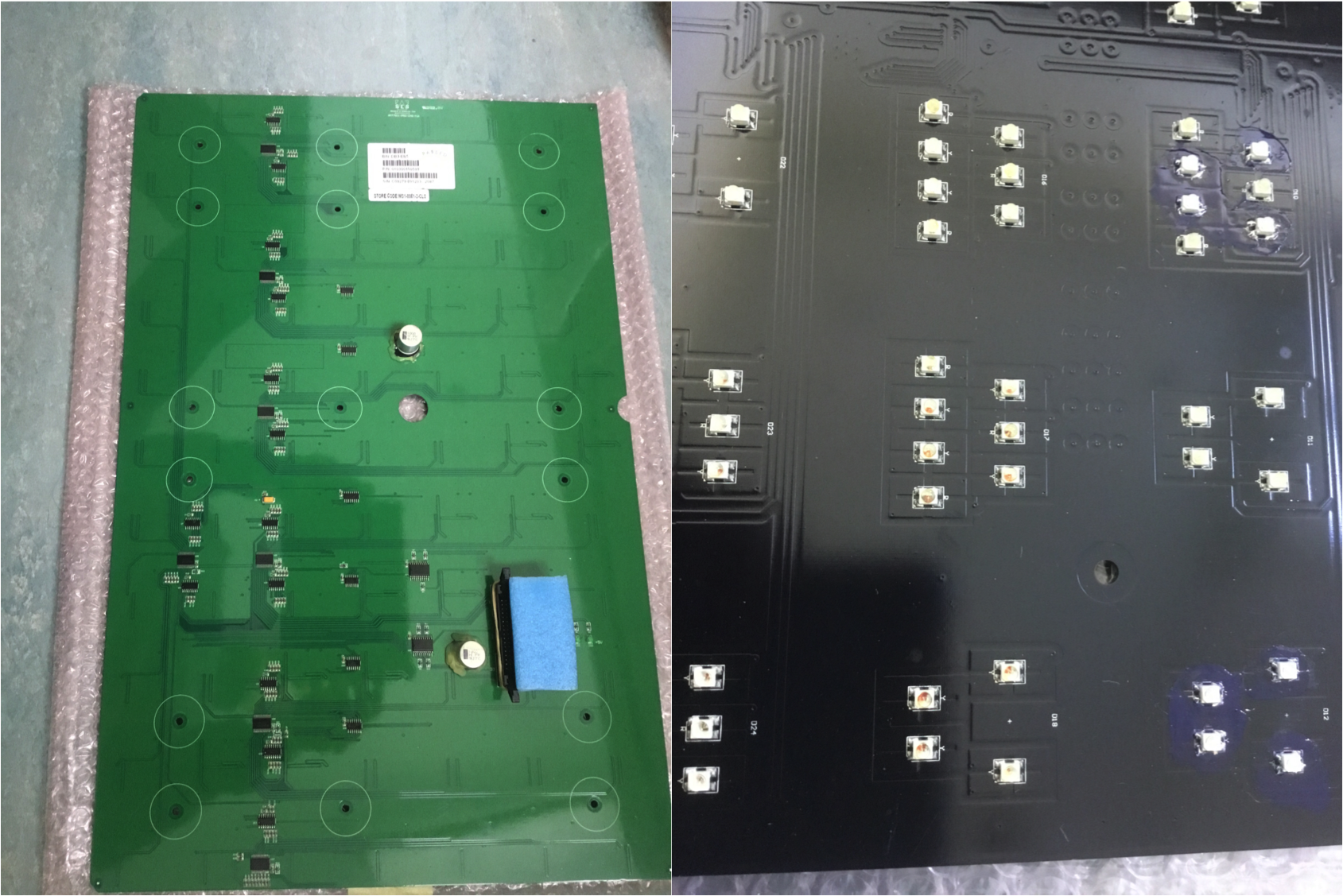
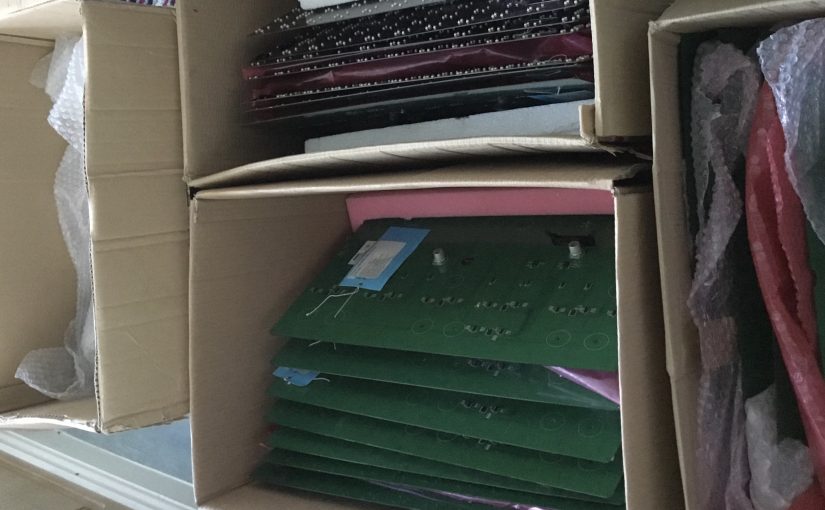
Repairs to elements such as modules and cards of infrastructure hardware is one way we achieve our mission of “Keeping Customers Operational”. A good and recent example is Motherboards for display systems. These are from established, long-standing and therefore proven and fit-for-purpose systems. It therefore makes sense to maintain and extend the life of these parts.
Typical with such ‘legacy’ elements is that the level of complexity of the items is not excessive, meaning that repairs using discreet components is perfectly feasible, unlike more modern integrated systems which use specialised parts that cannot be freely or cheaply obtained or impossible to disassemble resulting in them being classed as ‘BER’ (Beyond Economic Repair). This is ultimately costly and disruptive, requiring wholesale replacements.
@Yellowsbestltd would be keen to hear from you should you have any repairs requirements. We would welcome receiving any defective items you have in order to perform a no-cost assessment to establish the feasibility and likely cost of restoration. Please get in touch to let us know how we can help.
Although the installation of fibre broadband services have been rolling out across the UK for some time now, there still seems much confusion relating to the various services on offer.
@YellowsBestLtd has been receiving ‘Fibre To The Premises’ (FTTP – sometimes referred to as ‘Fibre To The Home’ FTTH) from @Gigaclear since our formation in 2015. We are therefore able to provide this brief summary of our experiences and comparison of the types possible and their capabilities:
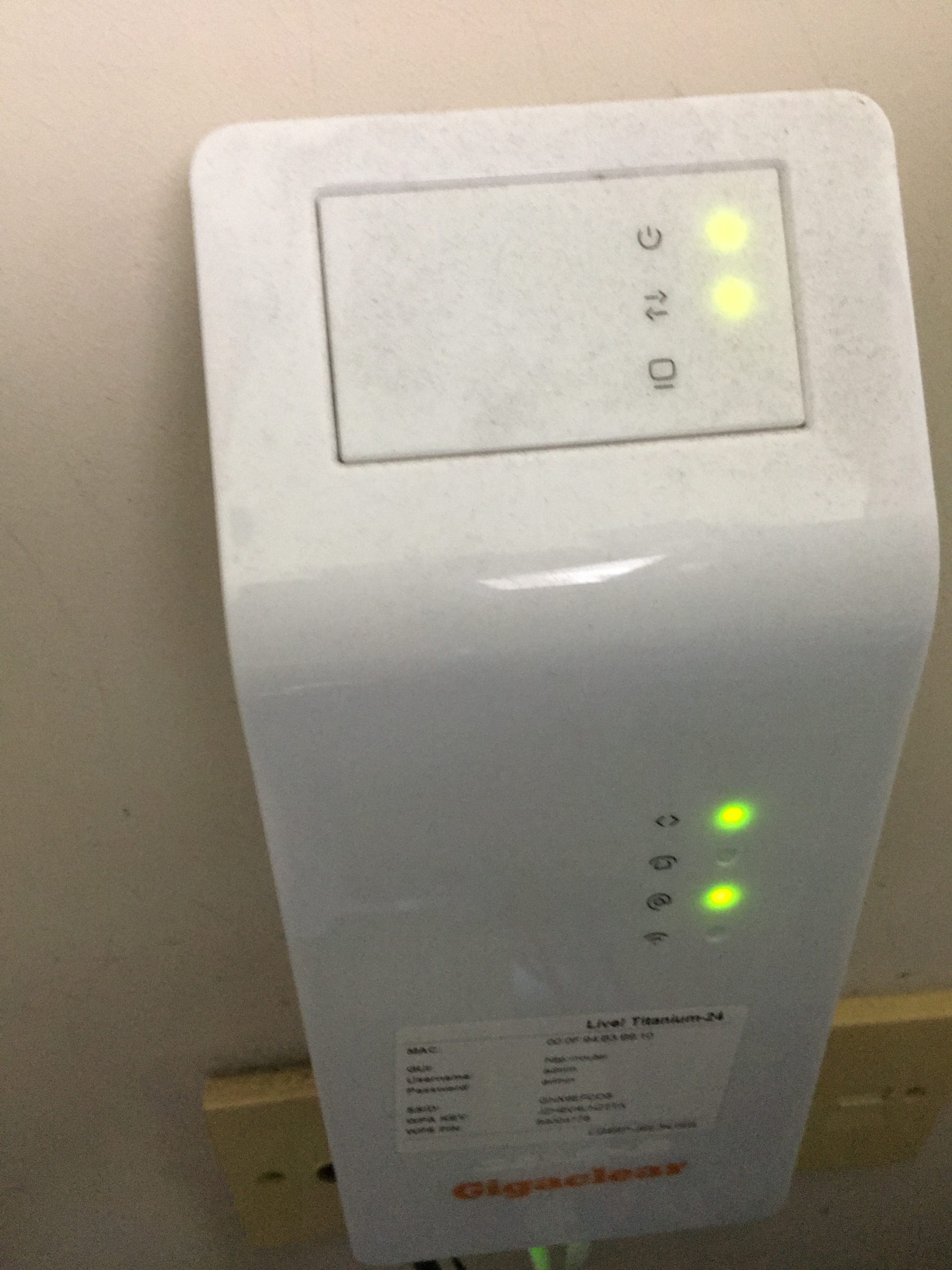
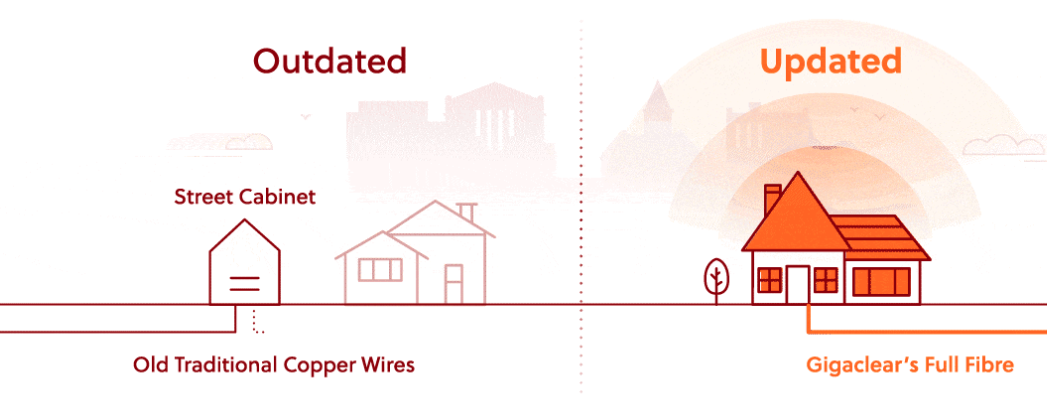
Full Fibre (FTTP) – fibre runs directly to the office or house, giving the fastest and most reliable speeds. This is what we had installed by Gigaclear; a dedicated fibre line into a fibre modem which can be directly connected to using ethernet cable or via a wifi router.
Part Fibre or ‘Fibre to the Cabinet’ (FTTC) – fibre runs to the neighbourhood cabinet, and then data runs over copper lines into the building. The transmission speed and bandwidth is therefore reduced in comparison to Full Fibre. This is the type of on offer to many consumers where the local telephony provider is not able to rollout fibre replacement for the ‘last mile’ of copper connection.
Copper or non-fibre – the traditional, existing telephone lines are used to provide the broadband service. This naturally provides the slowest speed and least data bandwidth. Many communities still rely on this as the only means of internet connection, since no fibre broadband deployment has been made.
The net result is that with Full Fibre, it is possible to receive previously unheard of speeds. Indeed the maximum service on offer is so fast, it outstrips the requirements of most homes and businesses. It is therefore typical that a reduced service is selected purely for cost-saving purposes.
Our own experiences have found that the Ultrafast 300 service from Gigaclear to be more than adequate for our needs. This is a screen shot of an actual speed test of the service we are being provided with:
In many cases the ‘full fibre’ service we have chosen, approximately a third the speed of the maximum possible, is still at least 10x faster than part or no fibre services. Not only is it faster, it provides a very stable connection less prone to interference and service outages. Thought due to network backhauling connections, is not unknown for interruptions to be possible; fortunately these are relatively rare.
The main difficulty for most businesses and homes remains the lack of universal provision. Whereas we have no reservations in recommending Gigaclear’s full-fibre service, we recognise this is not available everywhere. It is just fortunate for us that rural communities like ours was prioritised in their initial service rollout.
@YellowsBestLtd our mission is in “Keeping Customers Operational”. We’re always keen to enhance our range of #business services, increase the #enterprise infrastructure we support and expand our mix of #sustainable solutions we offer for supply and maintenance of new and legacy #technologies and products for our customers.
Please get in touch to help us understand your management services or solutions requirements, whether you’re implementing new systems or maintaining existing infrastructure networks to serve your operational business needs.
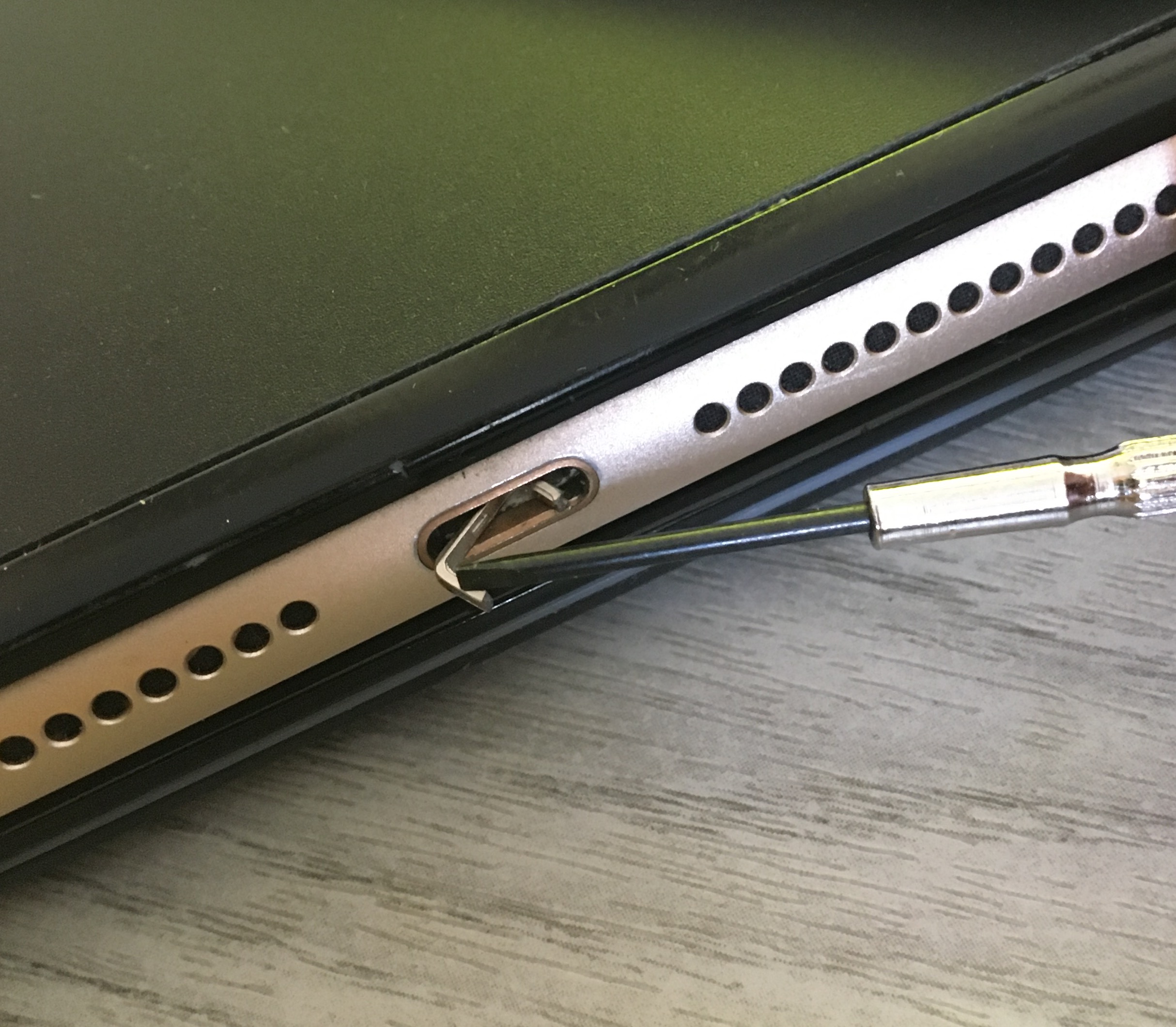
Here is a recent problem which would appear to be quite common. The end of the connector on a lightning cable was stuck inside the charging / accessory port. This worryingly appears to be a frequent occurrence resulting from the use of cheap, unbranded cables where the tip of the connector can break off, forming a staple-shaped piece, jamming itself into the iPhone or iPad. The result is that it is impossible to charge the device, unless the broken connector lead is retained, as it is the only one now small enough to fit into the accessory port.
This problem can render the expensive phone or tablet useless. For older out-of-warranty products it is potentially not worth a repair investigation and even with newer devices this may be classified as ‘accidental damage’, requiring extended insurance cover to avoid a significant resolution cost.
Happily, it may be possible to address the problem using the following simple technique:
Use a ultra-small, precision screwdriver. It needs to be small enough to easily fit inside the accessory port and be able to be levered across it’s width, whilst being sturdy enough not to bend or break.
Insert into the device’s accessory port, and position sideways across the width of the opening, such that the end of the tool is pressing on the inside of the port about half-way in / up.
Then, with an outwards ‘levering’ action, pull the broken connector piece out of the port.
If fortunate, this will remove the obstruction and return the device to an operational state. Naturally, success is not certain and there is the risk of causing further damage. Hence, particularly with newer devices, if you are not confident in your abilities then best to consult an electronics specialist or seek professional assistance from an approved repair centre.
The lesson from this experience is to purchase good quality, branded accessory leads and dispose of any cables where the connector shows signs of wear.
Maintenance of new and legacy systems
@Yellowsbestltd our mission is “Keeping Customers Operational”, by assisting with with the repair of parts for infrastructure systems. These are typically established, long-standing and therefore proven and fit-for-purpose. It makes sense to maintain and extend the life of these systems, as wholesale replacements will be costly and disruptive. This is particularly applicable when the service requirements have not changed, so functionality upgrades are not necessary.
Wewould be keen to hear from you should you have any repairs requirements. Please get in touch to let us know how we can help. By example, there follows a list of a few recent requests we have been able to assist with. We look forward to hearing from you with any feedback you may have.
From the beginning of April 2020, all UK VAT-registered businesses will need to keep digital records of all transactions, and then submit VAT returns electronic using compatible software.
Whereas many businesses have already started using Making Tax Digital (MTD), the new deadline means that all businesses of any size that are VAT registered will need to comply.
Signing Up to MTD by the next VAT period due
The new electronic service replaces the ‘manual’ VAT return for businesses on their next submission after the 1st April start date, which remains at the same quarterly interval. So (for example) if the business’s current VAT period is February to April, then this can be completed in the usual way when due in May. But the following VAT period of May to July will require a digital submission in August (and thereafter). Signing up to MTD needs to be made at least 7 days before the date the first MTD return is due. It’s important however not to sign up less than 5 days after the last non-MTD return, to avoid duplication of payments.
Signing up is accomplished via the MTD GOV.UK website, requiring a Government Gateway ID with business and VAT registration information.
Obtaining and using compatible software
Various providers of accounting software are available to both record digital transactions and make the electronic VAT submissions. This also includes using spreadsheets, though in that case bridging software will be needed to make the submission.
A top tip for NatWest Bank business customers is that they will provide the MTB compliant accounting software FreeAgent at no cost.
Assisting with your business requirements
@YellowsBestLtd would be interested to receive feedback on your transition to MTD and any other business transformation challenges you are facing. If appropriate, there may be areas of your business development or operations that we can support with consultancy services e.g. sales and marketing assistance. Please get in touch to discuss how we can be of help.
In order to accomplish our mission of “Keeping Customers Operational”, we often assist with the repair of parts for infrastructure systems, which are typically established, long-standing and therefore proven and fit-for-purpose. It makes sense to maintain and extend the life of these systems, as wholesale replacements will be costly and disruptive. This is particularly applicable when the service requirements have not changed, so functionality upgrades are not necessary.
Often, new product spares are expensive, difficult to source with long lead times, or no longer manufactured due to the product range having been discontinued and/or the original vendor having ceased business. In such circumstances, it becomes even more important to restore existing parts to working condition, tested and warrantied.
Available hardware services vary depending on the wide range of deployed technologies, and sometimes repairs are not possible due to component shortages or poor condition of the parts (e.g. suffering from water damage). But often both ‘legacy’ and newer items can be refurbished. Rebuild and recovery of software configurations can also be required and performed.
@Yellowsbestltd would be keen to hear from you should you have any repairs requirements. We would welcome receiving any defective items you have in order to perform a no-cost assessment to establish the feasibility and likely cost of restoration. Please get in touch to let us know how we can help.
By example, there follows a list of a few recent requests we have been able to assist with. We look forward to hearing from you with any feedback you may have.
Information Technology (IT) is a familiar concept to most modern office workplaces encompassing the products and networks providing data-centric computing, supporting various business functions such as finance, personnel, management and administration. This has grown to being fundamental to corporations large and small, and continues to rapidly develop in scale and capability.
Operational Technology (OT)
By contrast, Operational Technology (OT) is understood by utilities, transport, manufacturing and other industrial sectors, as encompassing an array of systems engineering, event monitoring and process control to facilitate operations. Historically, the technologies and products used to implement the required infrastructure have been bespoke and separate from other corporate systems.
The growth of standardisation
With the explosion of computing devices, the internet and communications generally, the underlying IT hardware and software have become ubiquitous and standardised. The majority of businesses now deploy products and networks which are interchangeable with most other global corporations, bringing overall costs down, increasing ease-of-use and enabling global inter-operations.
In recent years, there has been a trend to capitalise on these developments by seeking to replace old OT bespoke systems with widely available and deployed IT products.
The problem with convergence
Despite the advantages brought by a move to using IT technologies to fulfil Operational infrastructure needs, there are some draw-backs.
Although no-one wants systems to fail, and high performance is often a key requirement, in traditional OT systems, there is an emphasis on availability, reliability and ‘mission-critical’ operations, dictating deterministic technologies which standard IT products are not designed to provide. The packet-oriented ‘best-efforts’ nature of TCP/IP networking solutions is not sufficient to provide the performance required. Some operational systems have specific timing requirements, utilising PDH and SDH TDM-based technologies to deliver signalling and tele-protection information.
For years, ‘security’ against ‘remote attacks’ was not an issue, because most OT systems were regionally based and not connected to the wider world. And even those with remote monitoring and control tended to use bespoke equipment which was not widely understood or utilised by non-specialists. With a move to going ‘on-line’, and utilising ‘standard’ IT equipment to fulfil OT requirements, this is no longer necessarily the case. Which brings the possibility of outages due to system or denial of service attacks. ‘Cyber-security’ in recent years has needed to become part of the considerations for OT infrastructure, learning from the experiences of threats to IT systems and ‘denial-of-service’ attacks.
And whilst modern IT communications bring gigabit data bandwidths, OT data needs have remained modest, often to fulfil the unchanged monitoring requirements for an enormous existing deployed network of slow-speed kilobit data devices, such as pumps, valves and actuators.
In short, the needs and desires of businesses for computing devices, networking systems and global communications to provide ever-increasing bandwidth and application support continues to diverge from the requirements of industrial operations, requiring availability, compatibility and mission-critical performance.
Future trends
Whilst vendors of networks, computing and communications continue to develop advanced technologies to meet the growing needs of IT for businesses, the desired ‘convergence’ to replace OT systems continues to be a work-in-progress.
OT systems tend to be built with longevity as a priority over cost of ownership, due to the challenges of replacement once in continuous operation. Whereas IT products are often ‘written down’ and replaced over a much shorter timescale, with a view to taking advantage of continuous developments to provide higher performance and productivity.
Consequently, technologies that are considered ‘legacy’ by IT professionals continue to be maintained and even further deployed as trusted and proven OT systems to fulfil operational needs.
Your operational systems requirements
@YellowsBestLtd would like to know your infrastructure goals, deployment experiences and maintenance challenges and how we may assist you to fulfil your OT and IT requirements, for both new and existing operational systems. We look forward to understanding your needs for technical support, solutions sourcing, repair services and equipment spares.